
Spline
  • Customers
  • Enterprise
  • Pricing
Talk to salesStart building
  1. Academy
  2. Courses
  3. Hana | Everything You Need To Know
  4. Design Smooth Interactive Icons in Hana

Design Smooth Interactive Icons in Hana

Lesson 9 of 15HanaBeginner7 min

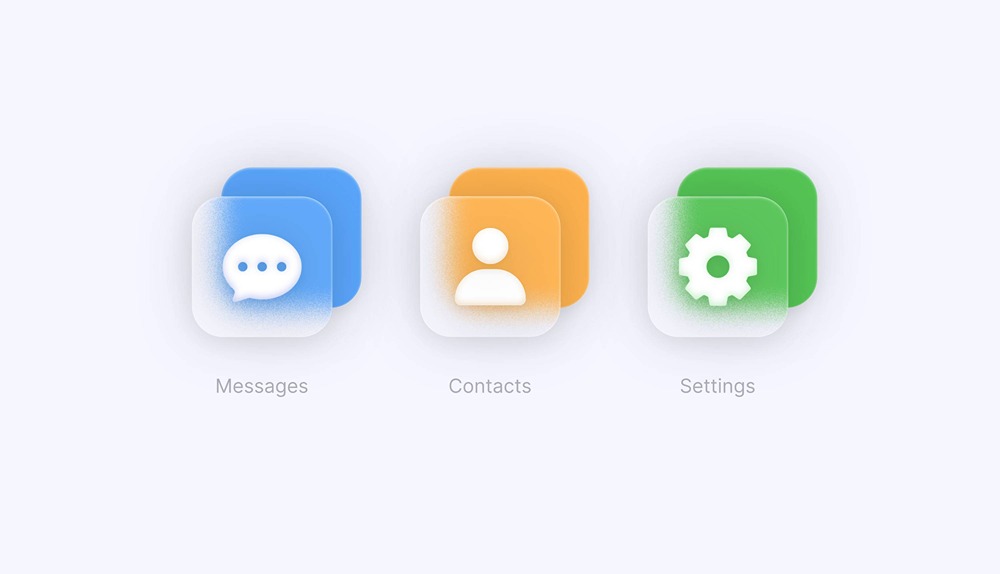
Learn how to create a clean interactive icon using Hana!

In this tutorial, we’ll walk through the entire design process — from building the shapes to adding material and smooth hover interactions.

Perfect for beginners and designers who want to upgrade their UI motion skills.

Let’s go! 🚀
Related resources

  • Frosted Glass IconsTemplate
  • Designing in HanaDocument
  • Effects in HanaDocument
  • Interactivity in HanaDocument

Overview

  • Hana
  • 7 min
  • Beginner

Up next

Build an Interactive Keyboard with Hana

9 minBeginner

Continue
Spline

The 3D and 2D editor for teams and their agents. Ship to the web, iOS and Android.

Ask AI about Spline

Products

  • 3D Design
  • Hana
  • Omma
  • AI 3D Generation
  • Spline MCP
  • Pricing
  • Enterprise

Runtimes

  • Web
  • iOS
  • Android

Apps

  • Download
  • Spline Mirror
  • Download Spline Mirror

Learn

  • Docs
  • Academy
  • Spline API
  • Solutions

Community

  • Spline Community
  • Blog
  • Changelog
  • Education
  • Contra
  • Affiliate

Company

  • Customers
  • Careers
  • Security

Legal

  • Terms & Conditions
  • Privacy

Contact

  • help@spline.design
  • jobs@spline.design
© 2026 - Spline, Inc.