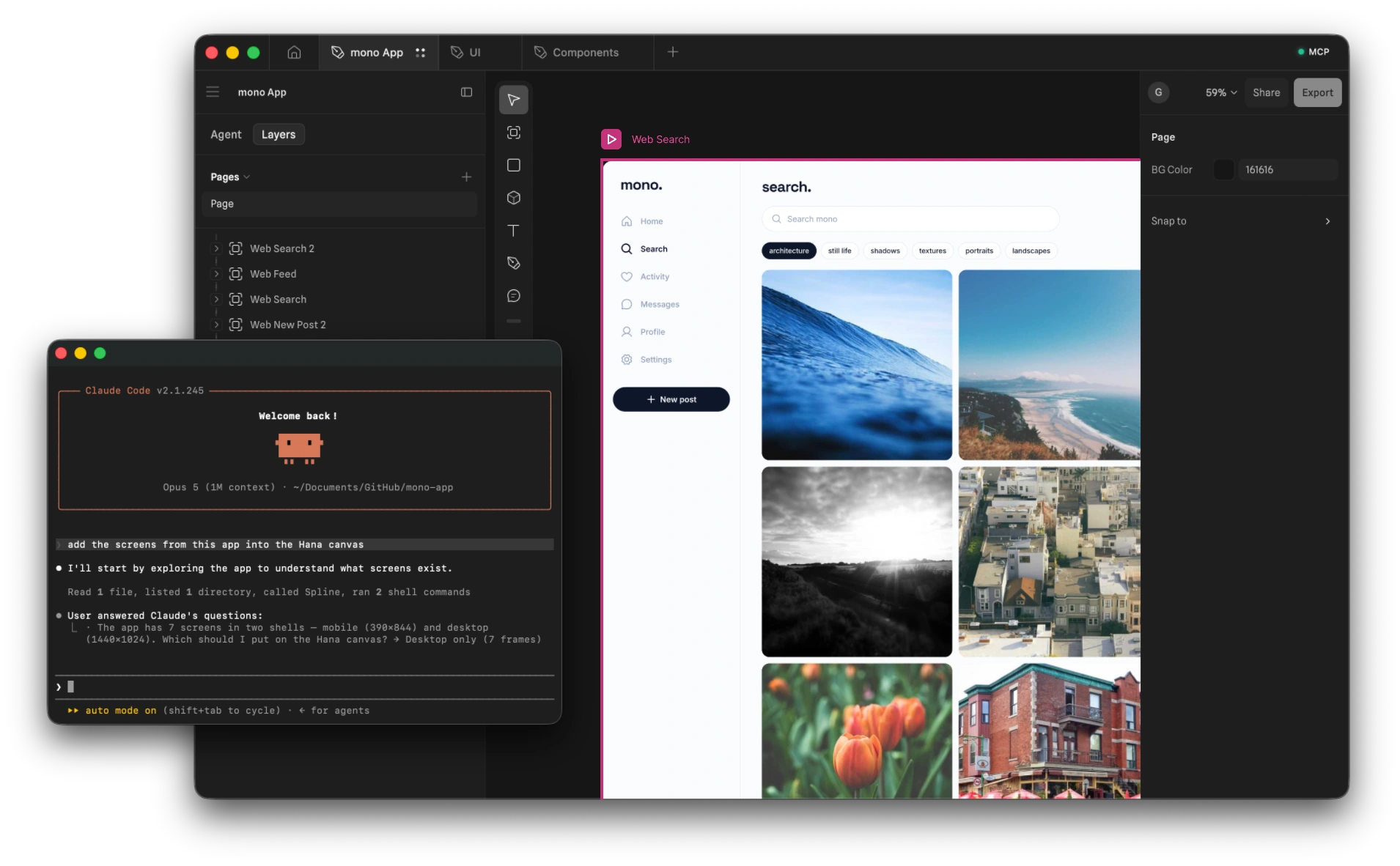
A design canvas powered by AI agents

Design with your team, supported by AI agents, MCP and GPU-accelerated vector editing tools.

Library

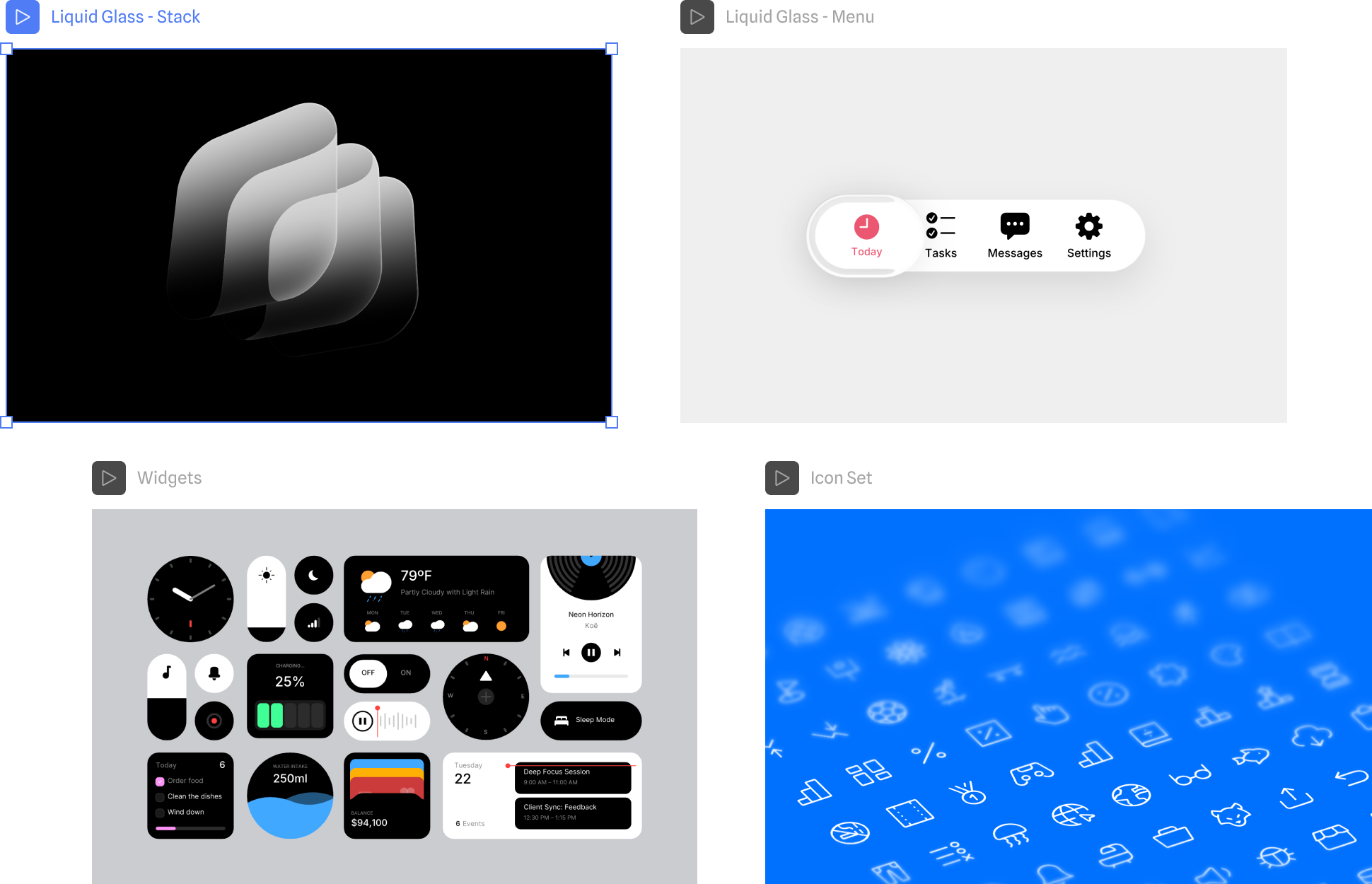
Design in motion, powered by Hana

Discover examples built in Hana. Remix, rebuild, and explore how your ideas can become production-ready experiences.

Design tools

Familiar and advanced tools for professional design

Familiar design tools, advanced effects, and the structure to keep big projects organized.

  • Frame-based infinite canvas
  • Vector networks and booleans
  • Pages and sections
  • Gradients, glass and 3D shapes
Interactivity and animation

Bring your designs to life

Add motion and interactivity with states, events and animations, by hand or by asking the agent.

  • States and events
  • Animate with transition actions
  • Follow and Look At interactivity
AI agents

A canvas your agents can design on

Hana’s own agent designs on the canvas, and yours can too, from Claude, ChatGPT, Cursor or any MCP client.

  • Builds frames, effects and interactions
  • Several screens built in parallel
  • Your own agent over MCP
  • Everything stays editable by hand
Connect your agent
Built for interactivity

A design tool, built for interactivity

A fast, familiar interface with the tools you need to design real-time interactive interfaces, motion and graphics.

  • Familiar design tools

    Design on an infinite canvas with frames, the pen tool, booleans, shapes and more.

  • Powerful interactivity

    Create interactive experiences with states, events and actions.

  • Animated experiences

    Add motion to your designs with states and transitions.

  • Visual effects

    Use shadows, blurs, noise, glass and 3D to create real-time visual effects.

  • Real-time booleans

    Create sophisticated boolean systems and animate them in real time.

  • Vector networks

    Make vector networks and add unique interactivity to them.

  • On-canvas preview

    Preview your interactivity and animations right on the canvas.

  • Production-ready exports

    Integrate your interactive designs into websites, web apps and digital products.

Collaboration

Design together, in real time

Design interactivity on an infinite canvas with real-time collaboration, organized in a shared workspace for your whole team.

Real-time multiplayer

Design together with your entire team in the same file.

Roles and permissions

Take full control over individual Editor and Viewer roles.

File management

A shared team space to store and manage every file and project.

Notes and feedback

Leave comments for your team or take notes right in the editor.

Export

Ship interactivity for the web

Seamlessly integrate interactive experiences into your websites, web apps and digital products.

Move your mouse or finger to interactRemix scene
index.html
<!-- Import the Hana Viewer -->
<script type="module"
  src="https://cdn.spline.design/@splinetool/hana-viewer@1.0.97/hana-viewer.js">
</script>

<!-- Add your design anywhere on the page -->
<hana-viewer
  url="https://prod.spline.design/HfFj1WYWsj69dY8U-Eld/scene.hanacode">
</hana-viewer>
FAQ

Questions, answered

What is Spline Hana?

Hana is Spline’s 2D design canvas, in your browser. It has vector editing with booleans and vector networks, auto and grid layout, effects like glass and 3D shapes, and states and animations for interactive design. Your team and AI agents design in the same file in real time.

Is Hana free?

You can start in Hana on the Free plan, which has a limited number of files. Paid plans add unlimited files, video upload and export, embeds without the Spline logo, and Hana’s AI agent.

Can AI agents design in Hana?

Yes. Hana’s own AI agent builds frames, effects and interactions from a prompt, and everything it makes stays editable by hand. Your own agent can design in Hana too: Claude, ChatGPT, Cursor or any other MCP client, over Spline MCP.

What can I design in Hana?

Screens, websites, UI components, icons and motion graphics: anything 2D that should move or respond. Add states, events and transitions to make a design interactive, and turn layers in 3D with 3D transforms and 3D shapes.

How do I put a Hana design on my website?

Publish it and embed it with the Hana Viewer, a short HTML snippet that works in Webflow, Framer, Wix Studio, Notion, Shopify or plain HTML. You can also copy layers as HTML, CSS or SVG, and export images, video and multi-page PDFs.

Can I design with my team in Hana?

Yes. Every Hana file is live: your team designs in the same file in real time, with editor and viewer roles, a shared team space for files and projects, and a version history you can go back to.

Start designing with Hana

Connect your agent, invite your team and ship your first design today.